Painless IT

Tips on managing product development and engineering by John Levy, consultant, expert and author of “Get Out of the Way!, An executive’s guide to creating timely, innovative and relevant products.”

How to manage a project

The essentials of project management in under 500 words

What’s a project?

A project is any endeavor that takes time and involves more than one person.  Typically, we don’t call it a project unless it involves at least 3 to 5 people, and then we call them a team.

A project requires communication, collaboration and coordination.  A project also usually results in something being delivered to a third party.

Five aspects of managing a project

1. Defining the parameters.

What are the inputs?  What are the outputs?  What are the rules?

2. Discovering the goals, limits and values.

Goals include requirements for the outputs and other things that you want to have as a result of the project.

Limits include things like how much money you can spend, how much time you have, and who is allowed to do what.

Values include the priorities among time, cost and quality; and what the people in the project want to get out of it.

3. Planning the work

Planning includes setting your own expectations and the expectations of others; and being prepared to deal with unforeseen events.

4. Reporting

Reporting means communicating about progress, problems, resources used, and results delivered.

5. Interacting

Interacting with team members and stakeholders to facilitate, encourage and moderate.

What is a successful project?

A successful project delivers the right outputs on time.

At the end of a successful project, the team is still improving and is ready to take on another project.

At the end of a successful project, we have learned something and improved how we define, discover, plan, report and interact.

How do projects fail?

A project that produces no output or produces the wrong output is a failure.  Examples include products that get returned or software that causes problems for the customer.

A project that consumes excessive resources is a failure.  A project that does not deliver results in time to be useful or valuable is also a failure.

A project that ends with a burnt out team who cannot take on another project is a failure.

How to head off failure?

Choose and keep the right team.  Select people who have needed skills and are good at being part of a team.  Remove people who don’t get along with the team.

Limit the scope of the project.  Put your job on the line to keep the project down to a manageable size.  Break the project into phases to limit the scope of the current work.

Verify correctness of the outputs with the customer.  Check the requirements with the stakeholders at the beginning, and verify regularly that what has been done is still needed and expected by the stakeholders.

Iterate at regular intervals.  Deliver workable parts of the output in small increments and then re-check the scope and priorities for the next increment.

Listen carefully at all times.  Don’t presume anything without verifying it yourself.  Tell people when they’re doing something right.


Interested in tiny houses?  See Tiny House Design Workshop for a September event in Washington, DC.
What’s going on inside my computer?

We all ask this question now and then, particularly when the computer or its application software is not working as it should. Or at least when it’s doing things we don’t understand.

Our smartphones are no different – they are primarily computers, with some radio communications thrown in to connect them with the world. Of course, those radios include 3G and 4G cell phone bands, WiFi and Bluetooth.

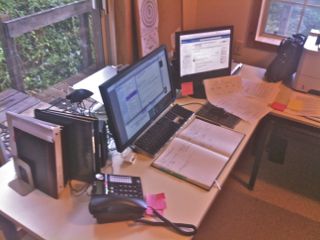
JLC desk v1Let’s focus for a moment on what every computer has to deal with inside its “kernel” – the core of the operating system. No matter what else is happening at the application level, here are some of the events and processes going on underneath the apps.

1. Memory management – keeping track of who is using which parts of RAM and ROM (often Flash memory). Not only is there constant competition among the applications for RAM space, the operating system itself has to allocate space for its own processes. Furthermore, applications often are using more RAM space than is actually available in hardware. How is this possible? By using “virtual memory” which means that some of the “space” is actually on disk or in Flash or Solid-State Disk (SSD) memory. Only the active “pages” of an application are actually in RAM, while others are “paged out” to disk.

2. Disk Input/Output (I/O) – whether it has a real spinning disk or an SSD, an operating system has to manage the traffic in and out. Since it takes a lot longer to move data to and from disk that it does to compute anything, scheduling has to happen for multiple such transfers at the same time. This means building queues of pending I/O operations, dealing with retries if there are errors, and cleaning up the queues when they are finished.

3. File System – on top of the disk I/O, an operating system usually provides a file system. This creates named collections of data, allocates space for them on disk, and keeps track of all the pieces of a file. Sometimes it also manages redundant file information (such as RAID or block replication) to guard against data loss.

4. Network protocols – there is a separate protocol for each network, such as GSM phone, CDMA phone, WiFi (to Internet), and Bluetooth. Each protocol has multiple layers of interactions going on. The system has to manage each layer by generating and responding to messages coming and going on the network.

5. Error recovery – not all operations in the computer are successful. Here are some of the ways they can fail.

a. When a transmission over a radio link or a disk I/O operation is initiated, there is always a timer set up that counts down and fires off an interrupt when it gets to zero. The interrupt means that the operation has failed, because it didn’t complete within the allotted time.

b. There are other ways to fail, too. Sometimes, a radio transmission will be garbled. This gets detected when a checksum or other code check finds a mismatch in the message. Then the recovery involves sending a reply message that says, “I didn’t get that last message.” And there are multiple layers of network protocol at which such messaging is being done.

c. The hardware of the computer itself fails. A bit gets dropped in the memory, or a bus from one part of the computer to another part loses a pulse and sends the wrong data. This gets detected when the data is checked and found to be an impossible value (a value that is not normal). In this case, the whole operation has be repeated, or else the program that was running and using this data has to be terminated.

6. Power management – in addition to turning the system on and off, mobile systems, such as smartphones, are actively managing power to various subsystems so as to minimize the load on the battery. Most systems also manage screen brightness (more in bright light, less in dim light) and disk spinning (turn off when not in use).

7. User interactions – A user may be typing on a keyboard, moving a finger around on a touch screen, pressing buttons, and reading what is displayed on a screen. There can also be other attachments, such as fingerprint readers or credit card readers, providing data to the system. There is also sound output and voice input. Determining what the user is asking the system to do may require sophisticated software, including motion detection on the touch screen and parsing the voice input.

To support application software, the system may include “frameworks,” such as a Java language framework, which is a collection of facilities that enable programs in Java to be run using a Java Virtual Machine. And there may be other facilities provided by the system, such as an indexing and search capability for emails, calendar items, address book items, web pages, and files. These require sophisticated data structures to be built and added to whenever a new item arrives in the system.

These are a sampling – but not all – of the activities and facilities in your system. There may be hundreds of thousands of lines of code involved in them. And someone – a team of someones – is maintaining that code as it evolves from generation to generation.

Is it any wonder that software project management – and particularly software lifecycle management – is a critical part of a successful vendor’s technology?

The life of a hero – Doug Engelbart 1930 – 2013

douglas-engelbart-at-sri-8-oct-68-demo-rehearsalMENLO PARK, Calif.—July 3, 2013—Computing visionary Douglas C. Engelbart, Ph.D, passed away peacefully at his home in Atherton, California on July 2, 2013. He was 88 years old. Engelbart’s work is the very foundation of personal computing and the Internet. His vision was to solve humanity’s most important problems by using computers to improve communication and collaboration. He was world famous for his invention of the computer mouse and the origins of interactive computing.SRI International press release

1968 – The Mother of All Demos

I entered Stanford University’s Computer Science (CS) Department in June, 1966, less than a year after its opening, and remained a graduate student there for the next 6 years. The graduate students in CS came from mixed backgrounds, since there had been no definition of CS until around this time.

In the winter of 1968, many of us drove up to San Francisco to attend the Fall Joint Computer Conference at Brooks Hall. And so we were there in the audience when Doug Engelbart took the stage to demonstrate his working model of a system that would “augment human intelligence.”

As I recall the event, Doug was in a chair that had two fixed, flat arms, like the ones you find in schools, except that this chair also could swivel. On the left side he held a mouse, and on the right was a 5-key keyboard. He could type with the 5 keys by pressing one or multiple keys at the same time (this gives you 31 combinations of keystrokes, and some keystrokes changed the “case” to give more options). There was a screen, and the screen contents were also projected onto a large screen that the audience could see.

Steven Levy in his 1994 book, Insanely Great: The Life and Times of Macintosh, the Computer That Changed Everything, describes the event as “a calming voice from Mission Control as the truly final frontier whizzed before their eyes. It was the mother of all demos.”

The impact of this demo was not so great at the time. We thought that he had some interesting ideas, such as “windows” that appeared to be sheets of paper overlapping each other on a “desktop.” He also had pull-down menus and something like hyperlinks. Quite far-out stuff. But what made the demo stand out compared to everything else in computing at the time was the fact that Doug – a SINGLE USER – was employing the full computing power of a system running down in Menlo Park that cost hundreds of thousands of dollars. We didn’t think of computers as “personal” in any sense in those days.

Transition to Xerox PARC

Within a few years, Xerox had founded the Palo Alto Research Center (PARC), and in time, the ideas that Doug had developed made the transition to Xerox PARC and were refined in the Alto personal system for internal use at PARC. (For more on PARC, see Dealers of Lightning by Michael Hiltzik)

Apple Lisa – bringing the Xerox Alto/Star to Apple

In 1979, I started working for Apple Computer as a hardware designer on the Lisa team. We initially were implementing a microprogrammed version of UCSD Pascal, but soon dropped the design to go with the Motorola 68000 CPU chip. About this time, Steve Jobs made his now-famous visit to Xerox PARC and came back very excited about the user interface – windows, pull-down menus, bit-mapped graphics – that had evolved from Doug Englebart’s work.

The Lisa software team acquired numerous people from Xerox PARC and that led to the second commercial version of Doug Engelbart’s ideas (the first was the Xerox STAR, a $20,000 system). The Lisa (1983) reduced that cost to about $10,000; but it wasn’t until the Macintosh (1984) that Doug’s ideas were found on a truly personal (and affordable) computer.

1996 – Quantum Strategic Teams

Meanwhile, I spent 10 years consulting for a variety of firms in Silicon Valley. One of those was Quantum, a hard disk drive maker. In 1993, I hired into Quantum to build a new department called Systems Engineering.

In 1996, Quantum invited me to join a strategic planning effort that recruited 16 employees – two teams of 8 – to look 10 years ahead and set Quantum’s direction for the future, using a process outlined in Prahalad and Hamel’s book, Competing for the Future. We were encouraged to engage the forward-thinkers of the Bay Area to stimulate our ideas. Remembering Doug Engelbart’s demo, I located Doug and invited him to come to Quantum for a day.

By this time, Doug’s office was lodged in Fremont, in a corner of a building where Logitech made computer mice and other gear. Pierluigi Zappacosta, founder of Logitech, was grateful to Doug for his inventions and offered him free use of this space.

During Doug’s day at Quantum, I learned more about his approach to research. In particular, there were three things that stood out for me:

First, there was what Doug showed as a spiral – the iterative improvement in human capability that comes from improving the tools a person uses. As the tools improve, the person can fashion additional and further-improved tools to keep the spiral growing.

Second, Doug was focused on the individual at work, including the ways in which an individual communicates with another individual. In this context, he was the prototype of the original “user experience designer” – a person who is concerned only with how things appear to the user and what the user can accomplish.

Third, Doug clearly understood and relied on Moore’s Law, the cost trend that brings double the computing power to a constant-cost chip every 1.5 to 2 years. For Doug, this is what was guaranteed to bring – within a few decades from 1968 –sufficient computing resources at reasonable cost into the hands of the individual.

What should we learn from this man’s life?

The lives of the heroes, someone once said, are not to be taken as models, but as lessons. Here are some of the lessons I believe we should learn from Doug’s life.

A. The life of a visionary is often lonely, because he or she can see what is to come long before others can. In Doug’s case, it took 30 years to arrive at the fruition of his ideas. He was fortunate that he lived to see that arrival.

B. Not all visionaries get to run a company and drive it to their vision. Steve Jobs was a rare exception, and even he had real success only on the third try.

C. When you’re inventing things, you have to plan to throw away a lot of prototypes. This is a test of persistence and courage. Doug had these traits.

D. Ultimate success comes from patient work towards a goal clearly seen. The critical components of such work are the patience and the clarity. Few of us maintain the level of clarity that Doug Engelbart achieved, and fewer still have the patience to return again and again to the vision.

We should all feel inspired by Doug’s life: not by his “success” as measured in the commercial world, but by the example he set of steady vision, patiently explained and consistently followed.

Why do we need so much software?

Software is everywhere, but you can’t see it.  You know it’s in your phone, your computer, your home appliances and your electric meter, but do you know why?  This article explores the reasons for the explosion of software.


Computers have taken over many functions that used to be performed by other equipment and by people.  While computers were originally developed to compute, they now control, communicate and manage things that require much more than just “computing.”

Moore’s Law is the term used to describe the geometric increase over the past 50 years of the number of electronic digital circuits that can be placed on a fixed-size piece of silicon.  A corresponding decrease in the cost of those circuits has driven the digital revolution – replacing nearly everything that used electrical or electronic circuits with their digital equivalent.

A “digital equivalent” of course is not really equivalent, because it consists of a computer.  Each computer, no matter how small or large, includes a processor, memory, and ways of moving data in and out.  All of the activity in a processor happens as a result of executing a program – a series of instructions that are stored in the memory.  And programs are software.

Managing the activities of a computer requires – a computer.  The operating system of a computer is the set of programs that are concerned with managing resources and activities inside the computer.  This is not trivial, because programs are constructed of very simple instructions, and there are a lot of resources and lots of activities inside each computer.  For example, what happens when data is moved in or out of the computer?  Where does it get stored?  How does it get checked and how does it get moved to a more permanent location, such as a disk?  These are all activities an operating system is concerned with.

Keeping track of stored data usually is done by a file system, which is another part of most operating systems.  Turning power on and off for parts of the system that are not used all of the time is another function of system software on, for example, a mobile phone.  This extends the battery life.

Furthermore, thousands of conditions can occur while the computer is operating, such as errors in moving data or interruptions due to user interaction (like typing on a keyboard or touching a screen icon).  Each condition has to be dealt with in a way that won’t stop the computer.

As computers have become widely used, specialized programs have come to be part of the standard repertoire.  Programs dealing with databases (such as a customer list with all of their purchases), audio and video data (such as YouTube videos and podcasts), and photos (such as your smartphone pictures) have become standard requirements for computers that we use in business and at home.

Communications systems – including the Internet – have incorporated computers to manage delivery of data globally; and services such as Google have developed enormous dictionaries of everything on the Internet (and also things like videos and books) that can be searched.  The hardware of each of these, while massive and widespread, is dwarfed by the effort put into creating software that keeps them running and delivering the latest services.

Competition between the latest start-ups today is mostly in the domain of software.  Delivering new services in the Internet age requires deep understanding of software and how to leverage what was developed by others last week to make something new this week.

Software and the tools for developing it are the context in which the best and brightest of the current generation are expressing their creativity and becoming part of the global economy.  You can expect more software from more software designers to result in a lot of unexpected new products and services.

Software development – not by PERT alone

I have great respect for software developers.  Because software is abstract, invisible and runs at extreme speeds, the people who are good at building it have to possess a particular talent at visualization and a willingness to use complex tools.

When software developers become project managers (PMs), they tend to rely on software tools to monitor, control and report on projects, just as non-technical PMs do.  The problems that technologists have in management have to do with inexperience in people interaction, including conflict, collaboration and just plain old ability to listen well.  If you’re a technologist in management, you can find more ideas on what to do about this in my book Get Out of the Way.

For the rest of PMs, there are lots of good tools, such as PERT and Gantt charts, but simply having good tools will not make your project succeed.  Software development projects frequently fail to produce results that the customer or end-user wants.  Why?

Here are three factors that contribute to the unruliness of software development projects:

  • Estimating the effort and time required to complete a task is difficult.  Even when reasonable-looking requirements and specifications of a software package are provided, understanding the difficulty of development may require architecting multiple layers and investigating interactions with a complex environment.  Since requirements are generally high-level items, and design has to be done at multiple levels, it is difficult to break down the work into “pebble-sized” tasks and then to keep to a schedule with those tasks.
  • Designing an algorithm often takes experimentation.  Engineering a software system requires trying out some things to see if they work, or testing multiple possible ways to implement something to find one with reasonable performance, for example.  This aspect of software engineering is so prevalent that Fred Brooks in The Mythical Man-Month advised us to “plan to throw one away.”  He meant that at the completion of a complex software implementation (such as an operating system), the designers have learned so much that it is often best to start over and re-implement everything.
  • Assuring that a software implementation functions properly under all conditions may take as long as the design phase.  In fact, you may never be able to prove proper functioning, because testing all combinations of conditions is impossible.  At best, using test-automation tools and good intuition about where to look for errors, a software team can reduce the number of bugs at the time of a software release, but almost never to zero.

Scheduling a software project is made more difficult by the fact that additional tasks are always discovered during implementation.  This is so prevalent that I learned long ago always to ask “What remains to be done?” in addition to “What have you completed?”  You can count on the list of tasks to be done growing during the project.

One of the best countermeasures to all of these problems is to use Agile development methods.  Using iterative development with regular demonstrations of working software having incrementally greater functionality will help reduce uncertainty and increase the ability of a development team to adapt to a changing world.  It also shortens the time between the initial charter of the project and the point where the customer says, “but that’s not what I wanted.”

Even Agile will not save all projects.  To learn more about why not, have a look at these slides, “Why Agile Won’t Fix All Your Problems.”

And good luck.  The world needs software, so we all have to keep on trying to deliver it the best we can.

What’s wrong with complexity?

We tend to design things that are complex, and that can be our undoing.


Technologists love intricate mechanisms.  That’s why many of us, as kids, took things apart, and some of us even put them back together again.

In my training as an engineer, I enjoyed learning how mechanical, electrical and chemical things worked.  And the more elaborate the mechanisms, the better the challenge and the satisfaction of getting the understanding.

We tend also to design things that are complex, particularly if we’re in software design, because software is layered into abstractions almost without limit.  Database systems linked via networks to computational engines and on to user-interaction devices are full of opportunities to exercise our power of design in the face of complex interactions.

Yet complexity can also be our undoing.  Consider this from Andre Zolli’s article about the crash of Air France Flight 447:

It was complexity, as much as any factor, which doomed Flight 447. Prior to the crash, the plane had flown through a series of storms, causing a buildup of ice that disabled several of its airspeed sensors — a moderate, but not catastrophic failure. As a safety precaution, the autopilot automatically disengaged, returning control to the human pilots, while flashing them a cryptic “invalid data” alert that revealed little about the underlying problem.
 
Confronting this ambiguity, the pilots appear to have reverted to rote training procedures that likely made the situation worse: they banked into a climb designed to avoid further danger, which also slowed the plane’s airspeed and sent it into a stall.
 
Confusingly, at the height of the danger, a blaring alarm in the cockpit indicating the stall went silent — suggesting exactly the opposite of what was actually happening. The plane’s cockpit voice recorder captured the pilots’ last, bewildered exchange:
 
     (Pilot 1) Damn it, we’re going to crash… This can’t be happening! 

 
     (Pilot 2) But what’s happening?
 
Less than two seconds later, they were dead.  …
 
We rightfully add safety systems to things like planes and oil rigs, and hedge the bets of major banks, in an effort to encourage them to run safely yet ever-more efficiently. Each of these safety features, however, also increases the complexity of the whole. Add enough of them, and soon these otherwise beneficial features become potential sources of risk themselves, as the number of possible interactions — both anticipated and unanticipated — between various components becomes incomprehensibly large.          [Want to Build Resilience? Kill the Complexity by Andrew Zolli, 9/26/2012]
 

This is certainly a cautionary tale about messages that don’t convey important meaning.  But it’s also a warning about interactions that were designed but couldn’t be tested or evaluated in all their combinations.  That’s what complexity leads to.

Disasters like Flight 447 nearly always require a complex system interacting with a human.  Remember the key learnings of the Apollo disaster: NASA’s safety analyses were not being followed up because of a dual-agenda management system.  The bottom line was that they relied on the fact that heat-shield tiles had never yet caused serious damage.

When you’re responsible for a project that is complex, you need to address that complexity in two ways.

First, you need to be sure that the people doing the analytical and design work know what the possible failure mechanisms are, how to compensate for them without adding a lot more complexity, and have scheduled adequate tests to validate the robustness of the design.

Second – and this is the more difficult – you have to be sure that the people implementing the project and the people managing the project (including yourself) are not harboring private agendas that may undermine the effectiveness of the analysis and design and testing.  Adding ship-date pressure on a team, for example, can cause them to short-change the test plan and declare a product ready to ship when it still has serious faults.

The second area is where your experience with people doing projects will help you most.  Listening a lot to project team members and following up on hints of conflict over goals or processes will help you stay current on the health of your project.

Finally, you can become an advocate for simplicity.  When faced with a choice in a project between a more complex solution and a simpler solution, go for the simpler one.  Often this will allow you to discover sooner whether or not the solution is adequate.

Some projects, of course, become excessively complex no matter what you do.  This may be a time when the most responsible thing you can do is recommend that the project be cancelled.  Better to have no product than one that kills.